
Table of Contents
Why is space not being freed from disk after deleting a file in Linux? Even though the file was successfully deleted, the disk space was not freed. How to free disk space? My case is when a user uploads huge files to the web server and there are a lot of temporary files (I configured in the /tmp directory) that were generated during the upload process. I discovered that the web server’s disk was full and I could not find the file in the /tmp directory that caused it.
After a few searches, I discovered that the files were in the /proc directory. These files were deleted but for some reason are still open by some application in the system.
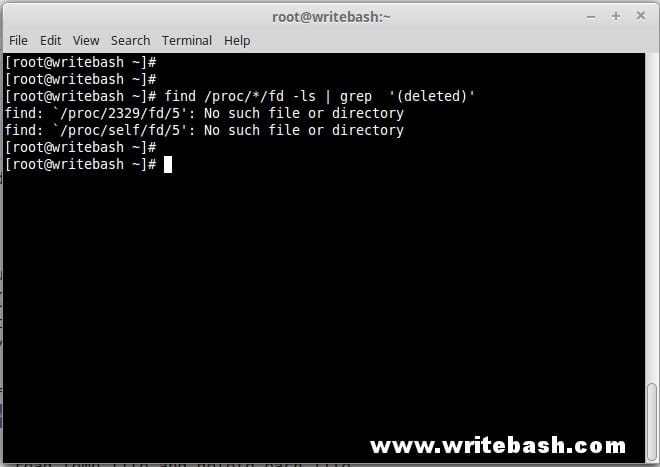
Script free disk space
This script basically looks for files in the / proc directory labeled “deleted” and then deletes that file. In this script I added a function to check the root partition size, if it exceeds the 80% threshold, then I will delete the file.
Read more: Script send email warning ssh login
#!/bin/bash
# Script author: Danie Pham
# Script site: https://devopslite.com
# Script date: 30-12-2017
# Script ver: 1.0
# Script use to delete files that have been labeled as "deleted" in /proc directory

# Function check the size of root partition /
f_check_free () {
    # Get current size
    CURRENT=`df -Th | grep -w / | awk '{print $5}' | awk -F'%' '{print $1}'`

    # If size >= 80%
    if [[ "$CURRENT" -ge 80 ]]; then
        # Call function f_free_disk
        f_free_disk
    fi
}

# Function execute free_disk
f_free_disk () {
    # Define a temp file
    FREE_DISK="/tmp/free_disk"

    # Find all files has label "deleted" in /proc directory and save pathname to temp file
    find /proc/*/fd -ls | grep  '(deleted)' > $FREE_DISK

    # The loop - read temp file and delete each file
    while read -r line
    do
            FILE=`echo $line | awk '{print $11}'`
            :>"$FILE"
    done < "$FREE_DISK"

    # Delete temp file after finish
    rm -f $FREE_DISK
}

# Main function
f_main () {
    f_check_free
}
f_main

exit
You can download the script here.
Use script free disk space
After you put this script on your server, I usually put it in a directory that contains common scripts. Such as /opt/scripts or whatever directory you want. You execute the executable for the script as follows:
chmod 700 /opt/scripts/free_disk.shThis script can be done automatically, which means it will automatically check the size of the root partition and perform deleted files filling up your hard drive automatically without you have to check manually.
You set the crontab for the script to execute automatically every 5 minutes.
crontab -l | { cat; echo "# Check root partition and free disk space every 5 minutes"; } | crontab -
crontab -l | { cat; echo "*/5 * * * * /opt/scripts/free_disk.sh"; } | crontab -
Conclusion
This script works automatically and it can give you peace of mind that your drive is full of surprises. You will not have to worry that your system crashes because it is full of hard drives.
(This is an article from my old blog that has been inactive for a long time, I don’t want to throw it away so I will keep it and hope it helps someone).

