
Table of Contents
In this article, I will give you a script that will help you install the LEMP stack on Debian 8 quickly. How to use script to install LEMP on Debian 8? With just a few simple steps in this article, you will do just that.
About this script
I wrote this script to help you install the LEMP stack on Debian 8 easily and quickly. Helps you avoid typing too many complex commands while easily mistaking.
This script will automatically install the following packages:
- Nginx 1.13.10
- MariaDB 10.2.13
- PHP 7.0.28-1~dotdeb+8.1
The script will automatically allow PHP-FPM to work with Nginx, and set up a vhost demo file that will allow access to the phpinfo file.
Server requirements
In order to use this script, your server must meet the following requirements:
- OS: Debian 8.x, i use Debian 8.10 (Jessie) 64 bit
- CPU: at least 1 vCPU
- RAM: over 1 GB memory
- HDD: 5 GB free space
- User: root
- IP: set static IP, ex: 192.168.56.30
Use script to install LEMP on Debian 8
Now I will go through the steps of using scripts to install LEMP on Debian 8.
First, you run the following command to load the script from my public repository.
wget https://gitlab.com/Danny_Pham/WriteBash.com/raw/master/Install/07-Script_install_LEMP_PHP_7.0_on_Debian_8.sh -O /home/install.shNext, you grant permission for the script.
chmod 700 /home/install.shAnd finally, you execute the script to install the LEMP stack.
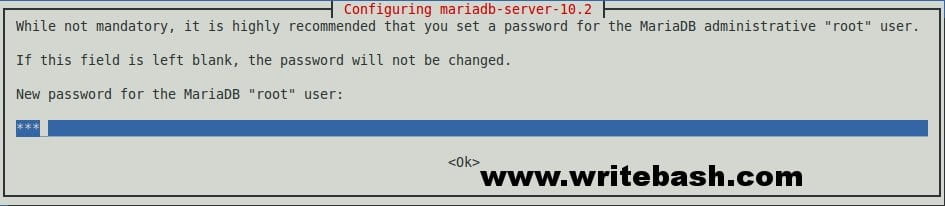
bash /home/install.shDuring the installation process, at the MariaDB server installation step, it will display a window asking you to enter the root password for the database server.
You need to wait 10-15 minutes for the script to finish installing the LEMP stack, it depends on the speed of your internet connection.
Check the operation of LEMP
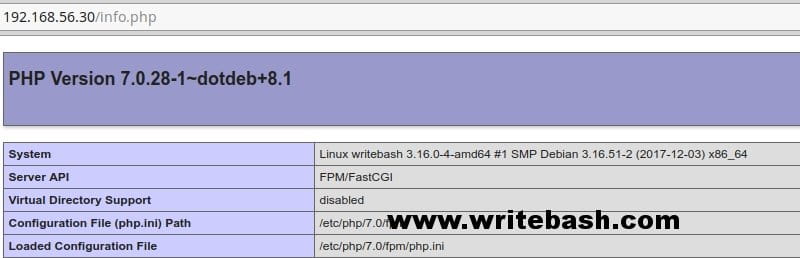
After the script completes the installation, you can begin to test the operation of the LEMP stack. First, you visit the info.php page to see if PHP-FPM works well with Nginx.
Next, run the commands below to check whether the services of the LEMP stack are working.
To check service Nginx.
systemctl status nginxTo check service MariaDB server.
systemctl status mysqlAnd to check service PHP-FPM.
systemctl status php7.0-fpm
If you want to check version of LEMP stack, you can type the following commands.
To check Nginx version.
nginx -vTo check MariaDB version, note that uppercase V.
mysql -VAnd to check PHP version.
php -vAs you can see, with just three commands you can now install the LEMP stack on Debian 8. It’s easy, do not make mistakes and fast. What are you waiting for, use it to save your time. Now your only thing is to start adding the website source and set up vhost.
(This is an article from my old blog that has been inactive for a long time, I don’t want to throw it away so I will keep it and hope it helps someone).

