
Table of Contents
Fix cannot unblock LDAP blocked users. This is an error that you may encounter while operating the Gitlab system.
In the series, I have instructions for you to authenticate gitlab users via LDAP. It is entirely possible that users can be blocked. The reason is because the user enters the wrong password too many times or has some authentication problem causing continuous login failure.
Error cannot unblock LDAP blocked users
Maybe at some point, users will tell you that they cannot log in to the gitlab system.
When you go to the admin window to check, these users’ accounts have been blocked. But you cannot unlock it on the website.
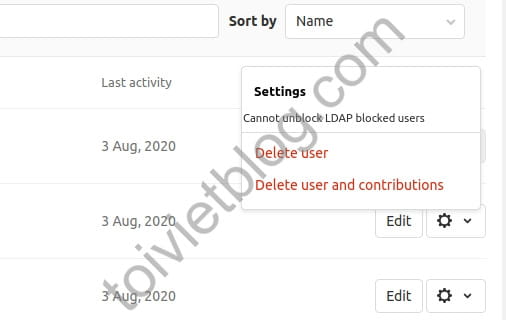
So now how to unblock these users?
Fix cannot unblock LDAP blocked users
To fix this error, you must do it from the console interface of the Gitlab system.
First, you log in to the console window.
gitlab-rails consoleNext, you use the command structure below to unblock locked user accounts. For each account that needs to be unlocked, you will run these 3 commands. You repeat this set of 3 commands for all blocked users on the system.
user = User.find_by_email("[email protected]")
user.state = "active"
user.save
In there:
- [email protected]: is the user’s email account
When done it will look like this.
root@gitlab:~# gitlab-rails console
--------------------------------------------------------------------------------
 GitLab:       13.2.2 (64fc0138d55) FOSS
 GitLab Shell: 13.3.0
 PostgreSQL:   11.7
--------------------------------------------------------------------------------
Loading production environment (Rails 6.0.3.1)
irb(main):001:0> user = User.find_by_email("[email protected]")
=> #<User id:35 @user01>
irb(main):002:0> user.state = "active"
=> "active"
irb(main):003:0> user.save
=> true
irb(main):004:0> user = User.find_by_email("[email protected]")
=> #<User id:33 @user02>
irb(main):005:0> user.state = "active"
=> "active"
irb(main):006:0> user.save
=> true
irb(main):007:0> exit
Conclusion
Above is the content that I have shown you how to unblock a user account when encountering an LDAP blocked error. Hope this article helps you in necessary situations.

