
Table of Contents
Zenity supports a number of message types. This article will guide you through these types of messages. To make the message dialog very simple, just use the --text option with the message type option.
The dialog dialog dialog supports the following four message types:
- Information
- Question
- Warning
- Error
Create an information dialog
To create the information dialog, use the following command:
zenity --info --text="WriteBash.com demo info message dialog"And see the result as image below.

Create a question dialog
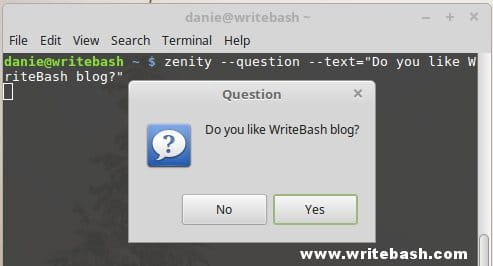
To create a question dialog, use the following command:
zenity --question --text="Do you like WriteBash blog?"And see the result as image below.
Create a warning dialog
Read more: Create a form dialog.
Use the following command to create a warning dialog:
zenity --warning --text="WriteBash.com demo a warning message"And see the result as image below.

Create an error dialog
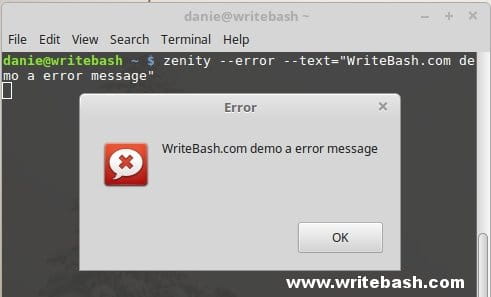
Use the following command to create an error dialog:
zenity --error --text="WriteBash demo an error message"And see the result as image below.
Conclusion
Through this article, you can create simple message dialogs. Supports 4 types of message dialog, you can use it flexibly. And I think that these dialogs will be used a lot in your program.
(This is an article from my old blog that has been inactive for a long time, I don’t want to throw it away so I will keep it and hope it helps someone).

