
Table of Contents
Simple script to list all weekends for 6 months. I received a request from the user that they want to retrieve the log of the weekends in the first 6 months.
Specifically, they want to see the log starting from January 1, 2019 until July 31, 2019.
The problem posed
In our log center, the number of log files is very large. To be able to handle this request, I can’t do it manually, that’s the first thing.
Secondly, I couldn’t count the weekends for the first 6 months of this year manually.
I need something automatic and quick to do this. This article, I solved the second problem first.
The script to list all weekends for 6 months
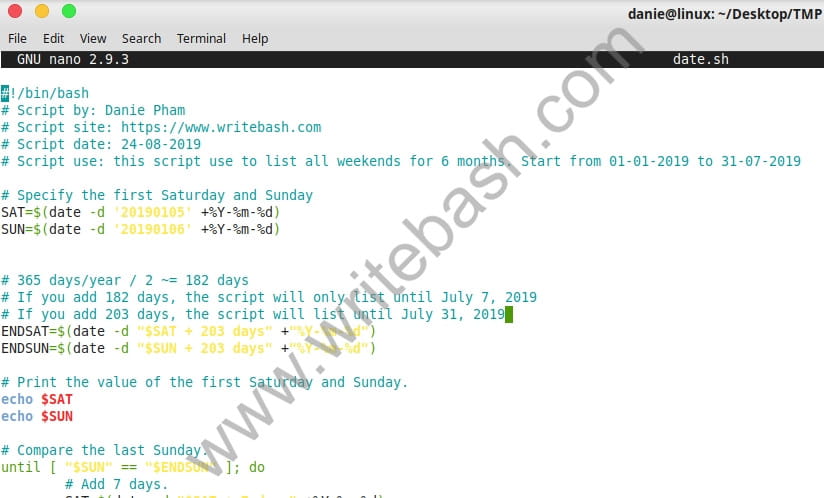
Below is the script content.
#!/bin/bash
# Script by: Danie Pham
# Script site: https://devopslite.com
# Script date: 24-08-2019
# Script use: this script use to list all weekends for 6 months. Start from 01-01-2019 to 31-07-2019

# Specify the first Saturday and Sunday
SAT=$(date -d '20190105' +%Y-%m-%d)
SUN=$(date -d '20190106' +%Y-%m-%d)


# 365 days/year / 2 ~= 182 days
# If you add 182 days, the script will only list until July 7, 2019
# If you add 203 days, the script will list until July 31, 2019
ENDSAT=$(date -d "$SAT + 203 days" +"%Y-%m-%d")
ENDSUN=$(date -d "$SUN + 203 days" +"%Y-%m-%d")

# Print the value of the first Saturday and Sunday.
echo $SAT
echo $SUN

# Compare the last Sunday.
until [ "$SUN" == "$ENDSUN" ]; do
	# Add 7 days.
	SAT=$(date -d "$SAT + 7 days" +%Y-%m-%d)
	SUN=$(date -d "$SUN + 7 days" +%Y-%m-%d)

	# Print the next Saturday and Sunday
	echo $SAT
	echo $SUN
done
I will explain it.
First, you need to identify the first Saturday and Sunday in the period time you need to list. That is, you must identify the first Saturday and Sunday in January 2019.
SAT=$(date -d '20190105' +%Y-%m-%d)
SUN=$(date -d '20190106' +%Y-%m-%d)
Next, you will add 6 months to start counting.
Here, if we take 365 days of division 2, we will add 182 days. However, with the addition of 182 days, the script only lists until July 7.
Our request is until July 31, 2019. So how? We will increase the number of days added. I found the appropriate number of 203. You can also calculate (or manually count the number of days) to add it appropriately.
ENDSAT=$(date -d "$SAT + 203 days" +"%Y-%m-%d")
ENDSUN=$(date -d "$SUN + 203 days" +"%Y-%m-%d")
And finally, you use an if condition to compare when counting to the last Sunday in these 6 months, stop listing.
until [ "$SUN" == "$ENDSUN" ]; doYou run the following command to execute the script, name the script is weekends.sh.
$ bash weekends.shAnd the result will be like this.
2019-01-05
2019-01-06
2019-01-12
2019-01-13
2019-01-19
2019-01-20
2019-01-26
2019-01-27
2019-02-02
2019-02-03
2019-02-09
2019-02-10
2019-02-16
2019-02-17
2019-02-23
2019-02-24
2019-03-02
2019-03-03
2019-03-09
2019-03-10
2019-03-16
2019-03-17
2019-03-23
2019-03-24
2019-03-30
2019-03-31
2019-04-06
2019-04-07
2019-04-13
2019-04-14
2019-04-20
2019-04-21
2019-04-27
2019-04-28
2019-05-04
2019-05-05
2019-05-11
2019-05-12
2019-05-18
2019-05-19
2019-05-25
2019-05-26
2019-06-01
2019-06-02
2019-06-08
2019-06-09
2019-06-15
2019-06-16
2019-06-22
2019-06-23
2019-06-29
2019-06-30
2019-07-06
2019-07-07
2019-07-13
2019-07-14
2019-07-20
2019-07-21
2019-07-27
2019-07-28
Conclusion
A script is quite simple for you, but it can be very useful for your work. If you do the system, chances are you’ll get the same request I received.
(This is an article from my old blog that has been inactive for a long time, I don’t want to throw it away so I will keep it and hope it helps someone).

