
Table of Contents
Today, I encountered a problem related to Let’s Encrypt certificate. One of my blog expired SSL certificates. I set up a weekly auto-renewal, why the Let’s Encrypt certificate has renewed, but the browser still shows the old expiration date?
Why Let’s Encrypt still displays the old expiration date?
Although all certificates have been renewed, even, I have personally made the renewal order again. Results showed that the certificates were successfully renewed. So why does the browser still show the old expiration date? Why is there an SSL error?
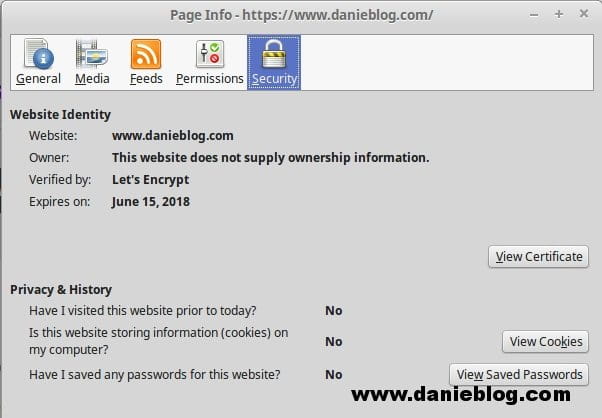
After a moment of searching, I found that not only myself encountered this problem. I found an article on the community Let’s Encrypt also talk about this issue.
The reason is:
- I use certbot to create and renewal SSL Certificates Let’s Encrypt.
- Certbot does not automatically match the newly renewed certificate to the configuration of the web server.
Automatically renew and restart the web server
Of course, you can not wait until the expiration date of the SSL certificate and manually renew it. Automating is one thing to do.
I edited the crontab:
0 0 1 * * /usr/bin/certbot-auto renew --force-renewal > /var/log/letsencrypt/certbot-renew.log && [command-to-restart-your-web-server]Crontab will automatically renew certificates at 12:00 am on the first day of each month (each certificate expires 3 months) and restart the web server.
Conclusion
Even if it’s a small problem, you may not notice or know. Thankfully, I am all checking my blog every day. So I discovered it quickly. I’ve edited what I need, now I’ll wait until the next expiration date to see what the results are.
(This is an article from my old blog that has been inactive for a long time, I don’t want to throw it away so I will keep it and hope it helps someone).

