
Table of Contents
In this article, I will guide you how to create a Telegram Bot and get chat ID. You are writing this to help you set up Alertmanager Telegram bot.
Note: every action you perform on Telegram web.
How to create Telegram Bot
To create a new bot, first, in the search box, type in BotFather.

In the chat window with BotFather, type:
/startNext you type:
/newbotNext, you will name your bot. For example: alertmanagerBot. You type:
alertmanagerBotThen you need to set a username for your bot. The username will end with the word _bot. You type:
alertmanagerBot_botAfter this step, BotFather will send you a token that looks like the one below.
xxxxxxxxxx:t4HhZjSk9LznjPkFPw4b6cZL8XQ9ETNALZrYou need to save it to use in the /etc/telegrambot/config.yaml file (content in the article I linked at the beginning of the article).
Find user ID in Telegram
Now you need to find the user ID in your Telegram. The purpose will be clear to you in the next step.
In the search box, type in userinfobot.
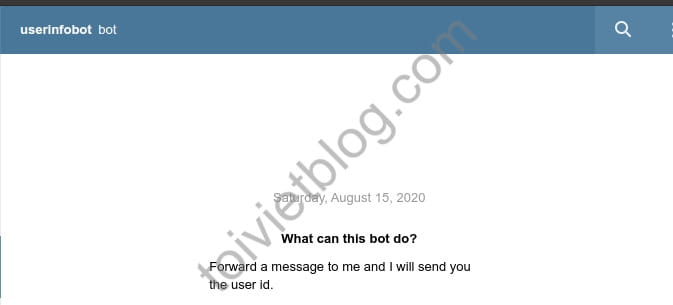
In the chat window with userinfobot, type:
/startUserinfobot will send you back information like below. The xxxxxxxxxx range is your user ID number.
Id: xxxxxxxxxx
First: DevOpsLite
Last: dotCom
How to get chat ID in Telegram
This is the second most important part, in addition to the Token you have above. You will need the chat ID so the alertmanager can send alerts via telegram bot.
To get the chat ID, create any new room and add your bot. Note that you add the bot you created above to the room. In the example, I will add a bot named alertmanagerBot.
Now in the chat room you just created. You type the command with the following syntax:
/user-ID @botusernameFor example:
/xxxxxxxxxx @alertmanagerBot_botThe bot will send you a message with the following content:
Chat id is '-yyyyyyyyy'Now, you can use this chat ID in /etc/alertmanager/alertmanager.yml file.
Conclusion
So I have guided you step by step to create a bot in Telegram and get chat ID. With the bot token and chat ID, you can configure alertmanager to send alert messages to your Telegram room. Good luck.

